
Gamuroid: All Game Emulator
RETRO GAMING LABSArcade
4.0109.00 Reviews
- Version
- 2.7.2
- Installs
- 100.00K
- Age Rating
- Everyone
Screenshots
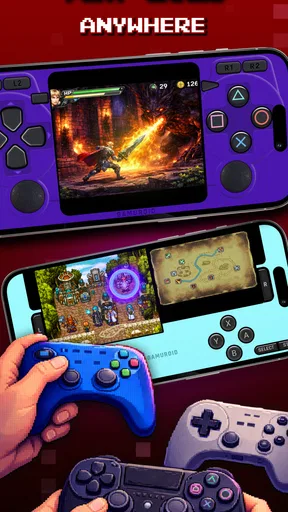
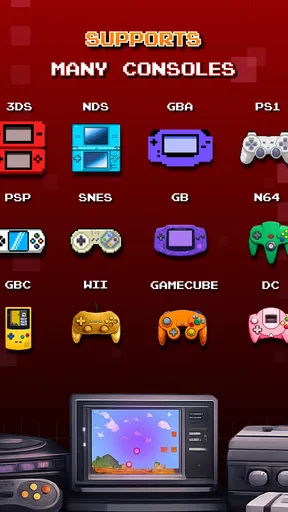
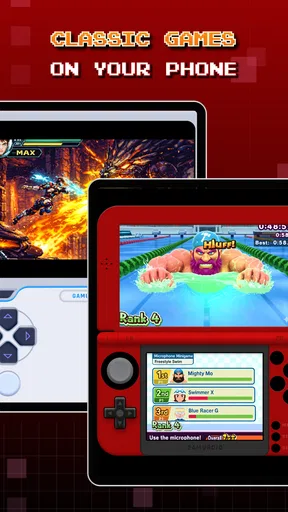
Our Review of Gamuroid: All Game Emulator
 Analysis by Appyee
I approached Gamuroid: All Game Emulator as a practical arcade game rather than as a promise to recreate every old console perfectly. Created by RETRO GAMING LABS, it is aimed at people who want classic-style gaming gathered into one Android app, with an emphasis on quick access and smooth play. The idea is appealing: instead of keeping several separate retro apps around, you have one place to return to when you want a short session.
My overall impression is that Gamuroid works best as a convenient casual gaming tool. It is free to install, rated for Everyone, and has already passed the 100K+ install mark, so it is not an obscure experiment with no audience. At the same time, I would not treat its broad name as proof that it replaces every dedicated emulator or every original console experience. Its value depends heavily on whether you want convenience more than deep configuration.
What Gamuroid is really offering
At its core, this is an arcade game built around multi-console emulation. That distinction matters. Someone looking for a single modern arcade title may find the presentation unusual, while a retro player will immediately understand the attraction: the app is intended to make older gaming experiences accessible from a phone or tablet without asking the user to manage a collection of separate tools.
The store summary highlights fast, smooth, free emulation, but I think the useful interpretation is “low-friction retro access.” The strongest reason to try it is not that it magically transforms a touchscreen into a perfect gamepad. It is that it gives a curious player a straightforward starting point for classic gaming. If you are new to emulation, that simplicity can be more valuable than a long menu of technical controls.
The developer is RETRO GAMING LABS, and the current release is version 2.7.2. It runs on Android 6.0 or later, which keeps the compatibility door open for many older devices. That does not mean every phone will feel equally comfortable, especially when touchscreen controls and older hardware are involved, but the minimum operating-system requirement is approachable.
Its average rating is 4.0 from around 800 ratings, with just over 100 written reviews. I read that as a reasonably positive signal, but not as a guarantee that it will suit every setup. Emulator experiences can vary considerably with the device, controls, screen size, and the games a person expects to use. A four-star average suggests promise; it does not remove the need to test it on your own phone.
Cost is simple, but the value question is not
Gamuroid is free to download, which makes the first decision easy: you can try the basic experience without paying an entry fee. That is important for this category because emulation apps are often judged before the user knows whether the controls, layout, and compatibility feel right. Here, the free starting point lowers the risk of discovering that the format is not for you.
There are in-app purchases ranging from $2.99 to $23.99 per item. I would therefore separate “free access” from “complete value.” The app can be approached without an upfront purchase, but some users may decide that optional paid elements are worthwhile after spending time with it. Since the purchase range covers several levels, I would avoid assuming that every player needs to buy anything. The sensible approach is to use the free experience first and only pay when you understand what extra value you are receiving.
This also changes how I judge the app against alternatives. A paid, highly specialized emulator may offer a more focused experience from the beginning, while another free option may provide more control but demand more setup. Gamuroid’s financial advantage is its low-risk trial, not a promise that it will be the cheapest long-term route for every kind of retro player.
Where the value appears in everyday use
The most convincing use case is a short, repeatable session. Imagine waiting for an appointment with an Android phone that is not new enough for demanding modern games. You want something familiar, do not want to create several accounts, and would rather not spend time comparing a dozen separate applications. A multi-console arcade app can make that moment easier by keeping the experience in one place.
I also see value for families. The Everyone content rating makes the app easier to consider for shared use, although parents should still decide which games are appropriate for their own household. A child who enjoys simple classic play may prefer the directness of older game design to a modern title filled with notifications and complicated menus. An adult can also use the same app for quick nostalgia without needing a dedicated handheld device.
Another useful scenario is travel. Touch controls are never identical to physical buttons, but a phone is already something most people carry. That makes Gamuroid more practical than packing an additional console for a casual trip. The trade-off is obvious: portability improves, while tactile accuracy may decline. For slower games or relaxed sessions, that compromise may be acceptable. For demanding action that depends on precise timing, it may become the main reason to choose a controller or a different platform.
There is also a discovery benefit. A person who remembers “old console games” but cannot name the exact system can use a broad emulator app as a starting point. Instead of committing immediately to one platform, they can explore what kind of retro play actually holds their attention. That is a more meaningful advantage than simply having a large-sounding title.
Practical habits that make the experience better
My first recommendation is to treat the app as a test of comfort before treating it as a permanent library. Spend a few sessions checking how the controls feel in portrait and landscape use, whether your hands cover important parts of the screen, and whether the display remains comfortable over time. A game can run smoothly and still be frustrating if the virtual buttons are awkward for your grip.
Second, begin with games that match the phone format. Short arcade rounds, turn-based play, and titles that do not require constant simultaneous button presses are more forgiving on a touchscreen. This is a non-obvious but important trade-off: the app’s emulation may be capable, yet the phone’s input method can determine whether a particular game feels enjoyable.
Third, keep expectations organized by platform rather than by the word “all.” A broad emulator can be excellent for variety while still being less satisfying than a dedicated solution for one favorite system. If you have a single classic game that you play competitively or repeatedly, test that specific experience first. Do not judge the app only by how many systems it mentions; judge it by whether your own priority game feels responsive and readable.
Finally, think about how you want to play before considering an in-app purchase. If your main goal is occasional nostalgia, the free entry point may already deliver enough value. If you expect to spend many hours with the app, then paid additions could make sense, but only when they solve a real limitation in your routine. Free access is the opportunity to evaluate the fit, not an automatic guarantee of unlimited value.
Trade-offs that matter more than the headline
I’d use this section to weigh the practical compromises behind a broad, free-to-try emulator: convenience can make casual play easier, while controls and configuration may still matter more to a particular player. I’d also keep spending decisions separate from assumptions about progress or competitive features, then turn to what a player can reasonably judge before choosing whether to pay.
Convenience versus control
The central compromise is familiar to anyone who has used emulation software: a unified app is easier to approach, while a specialist tool may offer more detailed control. Gamuroid’s appeal is the first half of that equation. It is suitable for someone who wants to play rather than spend an evening adjusting settings. A more technical user may prefer an alternative that exposes deeper options, even if that means a steeper learning curve.
That does not make simplicity a weakness by itself. In fact, excessive configuration can stop beginners from playing at all. My concern is only that experienced users should not install this expecting the same level of fine tuning they might find in a dedicated emulator. The right choice depends on whether your priority is immediate access or control over every part of the presentation and input.
Touchscreen play versus physical controls
Phones offer convenience, but classic games were generally designed around physical buttons. On-screen controls can work well for casual play, especially when the action is not too demanding. However, players who care about exact timing, rapid combinations, or long sessions may find a physical controller more comfortable.
This is not a problem unique to Gamuroid, but it is especially relevant because the app’s main advantage is bringing retro play to a mobile device. Before spending money inside the app, I would first decide whether the phone itself is the right screen and control surface for your habits. A purchase cannot turn a flat touchscreen into a traditional handheld.
Broad appeal versus focused excellence
A multi-console approach is useful when your interests are varied. It is less compelling when you already know exactly what you want and demand the best possible experience for that one system. A focused alternative may feel cleaner for a specialist, while Gamuroid is better suited to exploration and convenience.
There is a second trade-off here: variety can make it harder to build a personal routine. When many choices are available, I sometimes spend more time browsing than playing. The practical solution is to choose a small rotation of favorites and ignore the temptation to treat the app like an endless catalog. That makes the unified design work for you instead of turning it into another source of clutter.
Compatibility expectations
Android 6.0 support is useful, but operating-system compatibility is only one part of the experience. Older devices may have different screen proportions, processing limits, or input behavior than newer phones. Even on a supported device, the quality of a particular game can depend on the emulator’s handling of that system and on how comfortable the controls are.
For that reason, I would not recommend installing it solely because a friend has a newer phone and reports excellent results. Use the free access to evaluate your own device. If you are buying a phone specifically for retro gaming, a dedicated handheld or a setup built around physical controls may be a better investment than relying on a general mobile emulator.
Who should use it, and who should skip it
Gamuroid is a good match for Android users who want a free way to sample classic gaming across multiple consoles, especially if they value convenience and do not want to configure a highly technical application. It is also appealing to casual players, families looking for approachable entertainment, travelers, and people returning to retro games after a long break.
I would be more cautious if you are a competitive player, a preservation-focused enthusiast, or someone who needs extensive per-game customization. Those users may be happier with a specialized emulator, a physical handheld, or original hardware. The same applies if you dislike touchscreen controls or expect every classic game to feel exactly as it did on its original machine.
People who are uncomfortable with optional purchases should also pay attention to their own spending habits. The initial download is free, but the presence of purchases means the app should be evaluated with a clear boundary. Decide what “enough” means before browsing paid items. That keeps the free trial useful and prevents convenience from quietly becoming an unnecessary expense.
My final buying decision
I would recommend trying Gamuroid when the goal is easy, varied retro play on an Android device. Its free starting point, Everyone rating, broad multi-console concept, and accessible Android requirement make it a sensible first step. The 100K+ install figure shows that it has reached a meaningful audience, while the 4.0 average suggests a generally favorable reception without implying perfection.
I would not recommend paying immediately or choosing it over a dedicated alternative without testing your favorite games and controls first. The most important question is not whether the app sounds broad; it is whether your phone makes the games comfortable to play. If the answer is yes, the convenience can be genuinely worthwhile. If the answer is no, a physical controller, a focused emulator, or dedicated retro hardware will probably serve you better.
My verdict is positive but measured: install it for the low-risk opportunity to explore, keep your expectations realistic, and spend only when an optional purchase clearly improves the way you play. For casual nostalgia and variety, it can be a useful companion. For demanding accuracy and deep technical control, I would skip the purchase and look elsewhere.
Verdict
Strengths of Gamuroid: All Game Emulator
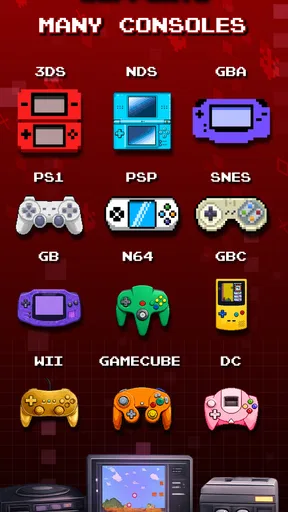
- Supports multiple classic console systems in one app.
- Save states let you pause and resume games quickly.
- Customizable on-screen controls improve playability on touchscreens.
- Works with external Bluetooth controllers for a more console-like experience.
- Lightweight design runs smoothly on many older Android devices.
Limitations of Gamuroid: All Game Emulator
- Games are not included, so you must provide legally obtained ROM files.
- Compatibility and performance can vary between different games.
- Some advanced emulator settings may feel confusing for beginners.
- Touch controls can be uncomfortable during longer gaming sessions.
- The app may contain ads or optional paid features, depending on the version.
Other Releases by RETRO GAMING LABS
View All
Mods & Map for MCPE Minecraft
Libraries & Demo4.5
Similar Picks in This Category
View All
Subway Surfers
SYBO Games4.6

Stickman Party 234 MiniGames
PlayMax Game Studio4.6

Subway Princess Runner
Ivy4.4

Temple Run
Imangi Studios4.2

Zombie Tsunami
Mobigame SAS4.6

Stack Ball - Crash Platforms
CASUAL AZUR GAMES4.5
Frequently Asked Questions
What is Gamuroid: All Game Emulator?
Gamuroid: All Game Emulator is an Android application designed to let users play compatible classic and retro games on a mobile device. It functions as an emulator rather than a game store, so the available experience depends on the supported systems, the app’s compatibility, and the game files you provide. Its main appeal is convenient portable gaming with configurable controls and emulator-style settings.
Does Gamuroid include games, or do I need to provide my own ROM files?
Users should not assume that Gamuroid includes a complete library of copyrighted games. In most cases, an emulator requires legally obtained ROMs or game backups supplied by the user. Before downloading, check the app’s current description and supported formats, then make sure you own the games you intend to use and understand the copyright rules in your country. Downloading unauthorized ROMs may be illegal.
Which devices and game systems are supported by Gamuroid?
Compatibility can vary according to the version of Gamuroid, the emulation cores included, your Android device, and the individual game being tested. Some titles may run smoothly while others can have graphical glitches, sound problems, controller issues, or performance drops. Review the developer’s current compatibility information and confirm your phone has enough storage, memory, and processing power for the systems you want to emulate.
Can I use external controllers and save my progress in Gamuroid?
Emulator users generally look for features such as customizable on-screen buttons, Bluetooth or USB controllers, save states, and the ability to resume games later. However, the exact behavior may differ between supported systems and app versions. After installation, test controller mapping, saving, loading, and screen orientation with a nonessential game first, because some titles may respond differently to virtual controls or save-state functions.
Is Gamuroid safe to download and does it require an internet connection?
For safety, download Gamuroid only from a trustworthy official source and review the requested permissions before installing. Avoid modified APK files and websites that bundle unknown installers, since they may contain malware or unwanted software. An emulator can often run games offline once the application and legally obtained files are stored on the device, although internet access may still be needed for updates, advertisements, cloud features, or other optional services.
Play our best games!


